How does the padel tournament signup link work?
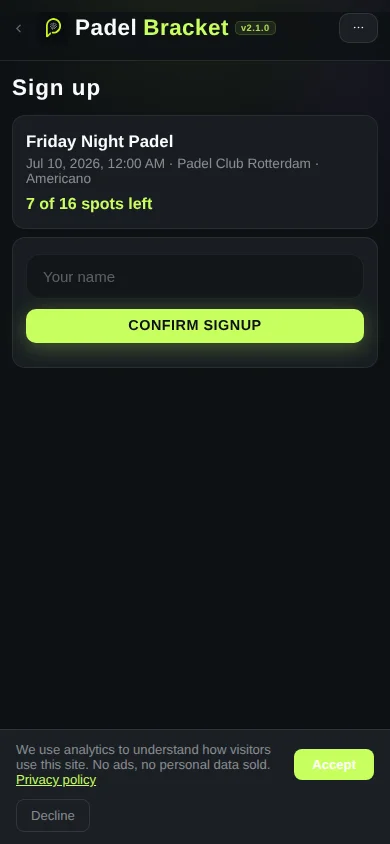
The organizer creates a signup event in PadelBracket and shares one link with the group. Players open the link, type their own name and tap to join. No account or app install is needed to sign up.
Do players need to create an account to sign up?
No. Players just open the shared link, enter their name and tap join. There is no login, no password and no app to install.
What happens once the tournament is full?
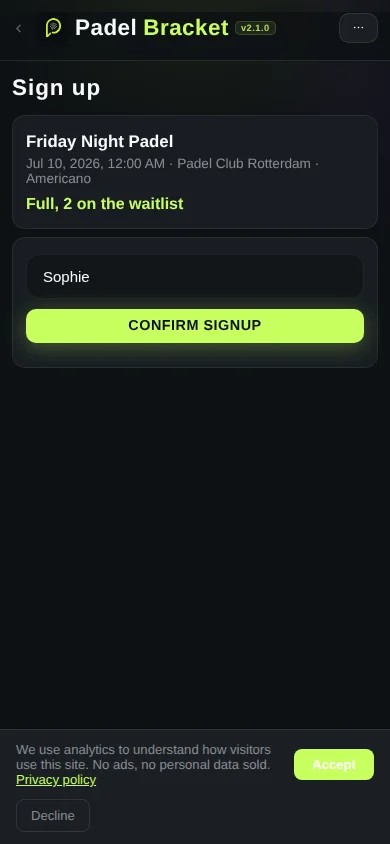
Once the maximum number of players is reached, anyone who signs up next is placed on an automatic waitlist instead of the main list.
Does the waitlist move up automatically when a spot opens?
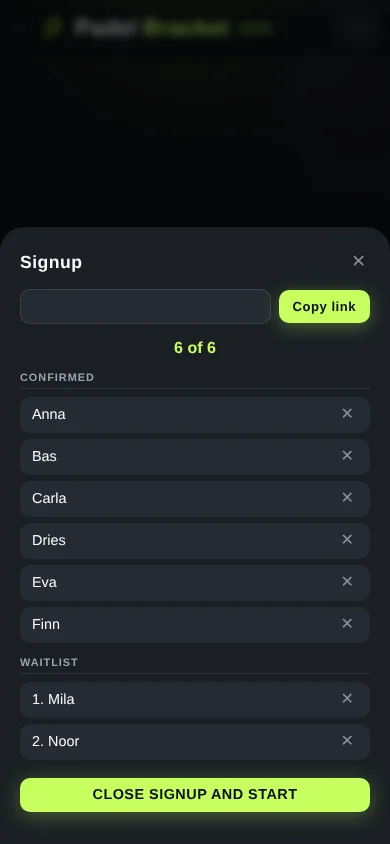
Yes. If a confirmed player is removed, the next person on the waitlist automatically moves into a confirmed spot.
Can the organizer remove someone from the list?
Yes. The organizer can remove any confirmed or waitlisted player from the live list at any time.
Can I set a maximum number of players?
Yes. When creating the signup event, the organizer sets the maximum number of players. Everyone beyond that number joins the waitlist.
How do I share the signup link?
Copy the link or scan the QR code PadelBracket generates, then share it through WhatsApp, iMessage or any chat app your group already uses.
What happens to the list when I start the tournament?
When the organizer closes signup and starts the tournament, the confirmed names flow directly into the tournament setup, ready to generate the schedule. Nothing needs to be retyped.
Is the signup feature free?
Yes. Creating a signup link, collecting names and running the waitlist are all completely free, with no account required for the organizer or the players.