Free ยท No account ยท Works offline

Your Own Match, Live

Personal View ยท Self Scoring ยท TV Mode

Share one link. Every player sees their own court, partner and opponent highlighted, can submit their own score, and follows the live standings from their phone or the club TV.

Try it in the app How does it work?

Works on phone, tablet and desktop ยท No install required for players

1
Link for everyone
0
Accounts needed
3s
Live refresh
100%
Free

Built around the player, not just the organizer

Everyone follows and plays their own match, live.

๐ŸŽฏ

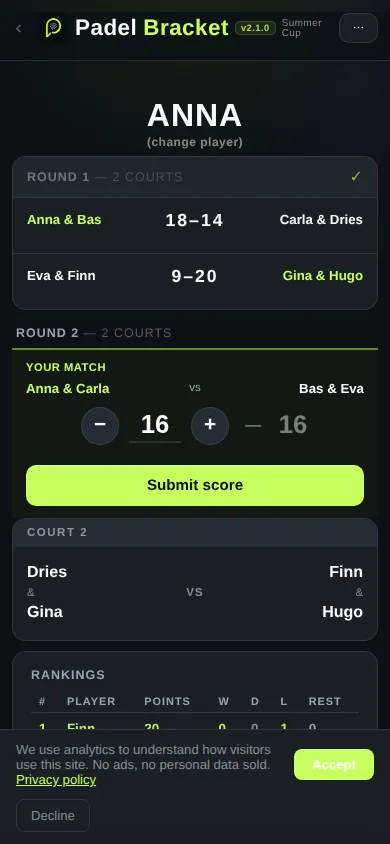
Your own match, highlighted

Open the shared link and pick your name. Your current court, partner and opponent are highlighted so you never have to search the schedule.

โœ…

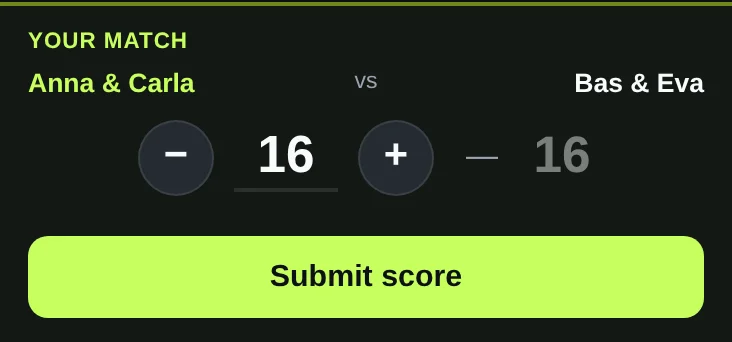
Submit your own score

Enter the score after your match. The organizer sees a pending badge and approves it with one tap before it becomes final.

๐Ÿ“บ

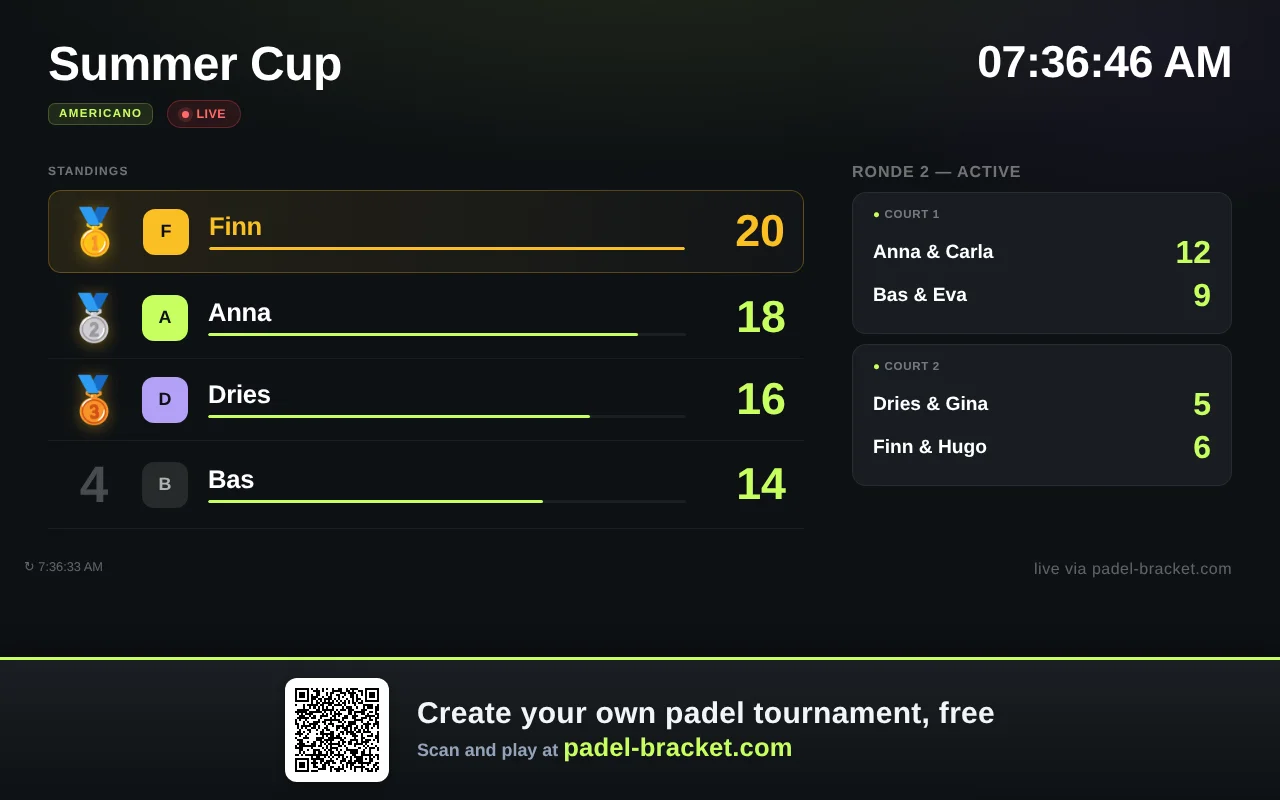
TV and presentation mode

Show the live standings and active matches full screen on a TV or projector at the club.

โฑ๏ธ

Round timer

Set a time limit per round and start a countdown that everyone can see, on the phone and on the TV.

Ready in 4 steps

Get every player following and scoring their own match.

1

Share the link

Share the live link with the group, by message or QR code.

2

Pick your name

Each player opens the link and picks their own name once.

3

Play and submit

Your court, partner and opponent are highlighted, then you submit your score.

4

Follow live ๐Ÿ“Š

The organizer approves the score and the standings update for everyone.

See it in action

The real player screens, not a mockup.

Padel player view with the player's own court, partner and opponent highlighted
Personal player view
Your own match is highlighted so you always know where and against whom you play.
Padel self score entry screen with plus and minus buttons pending organizer approval
Self score entry
Players enter their own score, which the organizer approves with one tap.
Padel presentation TV mode showing the live leaderboard and active matches full screen
Presentation mode
A fullscreen scoreboard for the club TV, with the live leaderboard and active matches.

Frequently asked questions

What does a player see in their personal view?

After opening the shared link and picking their name, a player sees their current court, partner and opponent highlighted, so they never have to search through the full schedule.

Can players enter their own scores?

Yes, when the organizer enables it. Players open the shared link, pick their name and enter the score after their match using simple plus and minus buttons.

Does the organizer approve scores before they count?

Yes. A score submitted by a player shows up as pending for the organizer, who approves it with one tap. Only then is the score saved as final.

How do spectators follow the tournament live?

The organizer shares a link, which can include a QR code. Anyone who opens it sees the live schedule and standings update in real time, with no account or app install needed.

What is presentation or TV mode?

Presentation mode shows a fullscreen scoreboard with the live standings and active matches, designed to be displayed on a TV or projector at the club.

What is the round timer for?

The organizer can set a time limit per round and start a countdown. The timer is visible on the organizer's screen, in the player view and on the presentation screen.

Do players need to install anything?

No. Players just open the shared link in their phone's browser. There is nothing to download and no account to create.

Is the player view feature free?

Yes. The personal player view, self score entry, live spectator view, TV mode and the round timer are all included for free.
Ready to try it live?

Open the app, share the link and let every player follow and score their own match. Free, no account.

Try the player view for free
๐Ÿ  All formats Tournament Signup โ†’ Club Competition โ†’ Americano Generator โ†’ Mexicano Generator โ†’